Developing Patterns - overview
To develop a pattern for use with gridpattern (and packages that use it such as ggpattern) you will need to:
- Decide whether this is a geometry-based pattern or an array-based pattern.
- Create a function with the required arguments and return value
- Use
register_pattern()to let gridpattern know that a certain pattern name should be delegated to your function.
This vignette shows how to:
- write a
create_pattern()function of the correct signature for a geometry-based pattern or array-based pattern - Instruct gridpattern on where to find this user-defined pattern
Pattern Classification - geometry-based and array-based
There are only 2 high-level classes of pattern supported by
gridpattern - geometry-based and array-based.
Geometry-based patterns create a series of geometry
objects and trim them (using sf::st_intersection(),
gridGeometry::polyclipGrob(),
gridpattern::clippingPathGrob(), etc) to be within the
boundary of the grob. For example, the ‘stripes’ pattern in
gridpattern is a series of equally spaced rectangular
polygons.
Array-based patterns are RGBA image arrays. Any
supplied image will be processed by gridpattern to ensure
it is masked to only apply to the area within the grob’s boundary.
{ggpattern} Aesthetics -
Descriptions and Defaults
Although custom gridpattern pattern parameters need not limit itself to the set of aesthetics provided by ggpattern doing so may make your pattern more useful for others:
{ggpattern} aesthetic summary - click to open/close
| aesthetic | description | default | possible values |
|---|---|---|---|
pattern |
Name of the pattern to draw | ‘stripe’ | gridpattern::names_pattern |
pattern_alpha |
Alpha | 1 | value in range [0, 1] or NA
|
pattern_angle |
Rotation angle (entire pattern) | 30 | angle in degrees |
pattern_aspect_ratio |
Aspect ratio adjustment | NA | usual range [0.01, 10] |
pattern_colour |
Stroke colour | ‘grey20’ | colour |
pattern_density |
Approx. fraction of area the pattern fills | 0.2 | value in range [0, 1] |
pattern_filename |
Image filename/URL | ’’ | Filename/URL |
pattern_fill2 |
Second fill colour | ‘#4169E1’ | colour |
pattern_fill |
Fill colour | ‘grey80’ | colour |
pattern_filter |
Image scaling filter | ‘lanczos’ | magick::filter_types |
pattern_frequency |
Frequency | 0.1 | |
pattern_gravity |
Image placement | ‘center’ | magick::gravity_types |
pattern_grid |
Pattern grid type | ‘square’ | ‘square’, ‘hex’, ‘hex_circle’ |
pattern_key_scale_factor |
Scale factor for pattern in legend | 1 | |
pattern_linetype |
Stroke linetype | 1 | linetype |
pattern_linewidth |
Stroke linewidth | 1 | linewidth |
pattern_option_1 - 5 |
Generic options for expansion | 0 | |
pattern_orientation |
Orientation | ‘vertical’ | ‘vertical’, ‘horizontal’, ‘radial’ |
pattern_phase |
Phase | 0 | |
pattern_res |
Pattern resolution (pixels per inch) | NA | |
pattern_rot |
Rotation angle (shape within pattern) | 0 | angle in degrees |
pattern_scale |
Scale | 1 | Multiplier |
pattern_shape |
Plotting shape | 1 | shapes |
pattern_size |
Size factor (e.g. fontsize) | 1 | fontsize |
pattern_spacing |
Spacing between repetitions of pattern | 0.05 | value in range [0, 1] (snpc units) |
pattern_subtype |
Generic control option | NA | pattern-dependent |
pattern_type |
Generic control option | NA | pattern-dependent |
pattern_xoffset |
Shift pattern along x axis | 0 | value in range [0, 1] (snpc units) |
pattern_yoffset |
Shift pattern along y axis | 0 | value in range [0, 1] (snpc units) |
Note ggpattern may also pass other geom aesthetics of
possible interest such as fill. Also note that
ggpattern will only pass pattern aesthetics values of
length one but if the pattern is called directly by
gridpattern::patternGrob() then the pattern may be passed
pattern parameters of arbitrary length. gridpattern sets
no defaults for the spare ggpattern aesthetics
pattern_option_1 - pattern_option_5 and
pattern_phase (nor for any other parameter not used by a
builtin pattern) so a pattern that reads them should set its own
defaults with the defaults argument of
register_pattern() so they are also available when the
pattern is called directly by
gridpattern::patternGrob().
Geometry-based pattern functions - Formal Arguments and Return Values
All geometry-based pattern creation functions must:
-
Have the exact function signature:
function(params, boundary_df, aspect_ratio, legend)-
params- parameters for the pattern (the aesthetics) e.gpattern_fill -
boundary_df- data.frame containing polygon information i.e. Thepolygon_dfformat. -
aspect_ratio- the best guess that gridpattern / ggpattern is able to make as to the aspect ratio of the viewport in which this pattern is being rendered. -
legendlogical value to indicate whether or not this function is being called to render a key legend or the in-place geom fill.
-
Return a grid grob object. This can be any valid grob including a
grid::grobTree(). The user should make sure it lies within the boundary represented byboundary_dfeither by clipping with functions likesf::st_intersection(),gridGeometry::polyclipGrob(),gridpattern::clippingPathGrob(), etc. or using bounded grob functions likegridpattern::patternGrob()orgrid::polygonGrob().
Array-based pattern functions - Formal Arguments and Return Values
All array-based pattern creation functions must:
- Have the exact function signature:
function(width, height, params, legend)-
width,height- dimensions of the bounding box of the geom area -
params- parameters from the geom (the aesthetics) e.gpattern_fill -
legendlogical value to indicate whether or not this function is being called to render a key legend or the in-place geom fill.
-
- Return a 3D array of RGBA values (all values in the range [0, 1]).
gridpatternitself will mask this image so that it only applies to the area within the grob’s boundary.
The polygon_df data.frame
format
The polygon_df is a very simple data.frame format to
contain polygon values. This is used to pass the coordinates of the geom
boundary from the geom to the pattern generating function.
It contains only ‘x’ and ‘y’ columns for the coordinates, and an ‘id’ column used to signify which polygon the coordinates belong to.
The following polygon_df data.frame contains 2
polygons:
| x | y | id |
|---|---|---|
| 0 | 0 | 1 |
| 1 | 0 | 1 |
| 1 | 1 | 1 |
| 0 | 1 | 1 |
| 0 | 0 | 2 |
| 2 | 0 | 2 |
| 2 | 1 | 2 |
| 0 | 1 | 2 |
Associating a function with
{gridpattern} pattern name
Use register_pattern() to associate a pattern function
with a pattern name. Use kind = "geometry" (the default)
for geometry-based patterns and kind = "array" for
array-based patterns.
register_pattern("your_pattern_name", your_geometry_pattern_function)
register_pattern("your_pattern_name", your_array_pattern_function, kind = "array")- Packages should register their patterns in their
.onLoad()function (see Registering patterns from a package below). - Patterns can always be referred to by their qualified name
"owner::name"e.g."pkg::name","gridpattern::stripe", or"R_GlobalEnv::name"(for patterns registered by the user). - A bare name
"name"may be used if only one owner (the user, gridpattern, or a package) has a pattern with that name. Otherwise there is a conflict and using the bare name throws an error unless the user has declared a preference withprefer_pattern()e.g.prefer_pattern("R_GlobalEnv::stripe")to use a user’s custom “stripe” pattern instead of the builtin one. -
conflicting_patterns()lists patterns whose bare names are shared by more than one pattern.unprefer_pattern()removes a preference. - Package code that relies on a particular pattern should use its qualified name.
-
register_pattern()’sdefaultsargument may set pattern-specific default parameter values e.g.defaults = list(pattern_type = "running", pattern_spacing = 0.1). Values may also be functions of the formfunction(params, gp)of the parameters filled in so far and the grob’sgpar()e.g.pattern_amplitude = function(params, gp) 0.5 * params$pattern_spacingorpattern_size = function(params, gp) gp$fontsize %||% 12. The generic defaults are filled in first and then the pattern-specific defaults in the order given so a function default may use any generic parameter and any earlier pattern-specific default. Names may also be the plain ggplot2 aesthetics ggpattern passes along e.g.fill = "black"lets a pattern that readsparams$fillunder ggpattern also work withgrid.pattern(); list such names in theunprefixedargument (e.g.unprefixed = "fill") since otherwise an unprefixed name is an error (it is probably a forgottenpattern_prefix). Note ggpattern supplies its own defaults for most of its pattern aesthetics. -
registered_patterns()lists all the available patterns andunregister_pattern()removes a registration. -
has_pattern()checks whether pattern names currently resolve to a pattern. -
local_pattern()registers a pattern only until the current function (or test) exits.
Registering patterns from a package
We recommend packages register their patterns in their
.onLoad() function using
rlang::on_package_load():
.onLoad <- function(libname, pkgname) {
    rlang::on_package_load("gridpattern", {
        if (exists("register_pattern", envir = asNamespace("gridpattern"), inherits = FALSE)) {
            gridpattern::register_pattern("brick", create_pattern_brick)
        } else {
            funcs <- getOption("ggpattern_geometry_funcs", list())
            funcs[["brick"]] <- create_pattern_brick
            options(ggpattern_geometry_funcs = funcs)
        }
    })
}rlang::on_package_load()registers the pattern immediately if gridpattern is already loaded and otherwise when gridpattern is later loaded. This means gridpattern may be listed inSuggests(rather thanImports) and gridpattern won’t be loaded until needed.It also re-registers the pattern if gridpattern is reloaded (e.g. by
devtools::load_all()) which would otherwise forget the package’s patterns.Your package is still detected as the owner of the pattern so it may be referred to as
"yourpkg::brick".If writing a helper function that calls
register_pattern()on behalf of your package pass alongregister_pattern()’senvargument.register_pattern()was added in gridpattern v1.5.0. Theexists("register_pattern", ...)check above detects whether gridpattern is too old and theelseclause falls back to appending the pattern to the legacy global options, preserving any other custom patterns already set there. Use theggpattern_array_funcsoption instead for array-based patterns. Note this modifies the user’s global options when your package is loaded.
Example geometry-based pattern #1 (recreate polygon)
All geometry-based pattern creation functions must:
- Have the exact function signature:
function(params, boundary_df, aspect_ratio, legend)-
params- parameters from the geom (the aesthetics) e.gpattern_fill -
boundary_df- data.frame containing polygon information i.e. Thepolygon_dfformat. -
aspect_ratio- the best guess that gridpattern / ggpattern is able to make as to the aspect ratio of the viewport in which this pattern is being rendered. -
legendlogical value to indicate whether or not this function is being called to render a key legend or the in-place geom fill.
-
- Return a grid grob bounded by the boundary represented by
boundary_df(including grid structures like agrid::grobTree()).
For this example we’ll create a simple single color fill pattern
based on grid::polygonGrob() called ‘polygon’.
create_pattern_polygon <- function(params, boundary_df, aspect_ratio, legend = FALSE) {
    x <- boundary_df$x
    y <- boundary_df$y
    id <- boundary_df$id

    alpha <- ifelse(is.na(params$pattern_alpha), 1, params$pattern_alpha)
    gp <- grid::gpar(alpha = alpha,
                     col = params$pattern_colour,
                     fill = params$pattern_fill,
                     lty = params$pattern_linetype,
                     lwd = params$pattern_linewidth)

    grid::polygonGrob(x = x, y = y, id = id, default.units = "npc", gp = gp)
}
We register the function with register_pattern(). The
name corresponds to the pattern name used
with grid.pattern() or the geom - in this case we will be
using pattern = 'polygon'.
register_pattern("polygon", create_pattern_polygon)
grid.pattern("polygon", fill = "red", size = 4, linetype = "dashed",
             x = c(0.05, 0.05, 0.305, 0.305), y = c(0.05, 0.305, 0.305, 0.05))
grid.pattern("polygon", fill = "green", alpha = 0.2,
             x = c(0.35, 0.35, 0.65, 0.65), y = c(0.35, 0.65, 0.65, 0.35))
grid.pattern("polygon", fill = "blue", colour = "grey",
             x = c(0.7, 0.7, 1.0, 1.0), y = c(0.7, 1.0, 1.0, 0.7))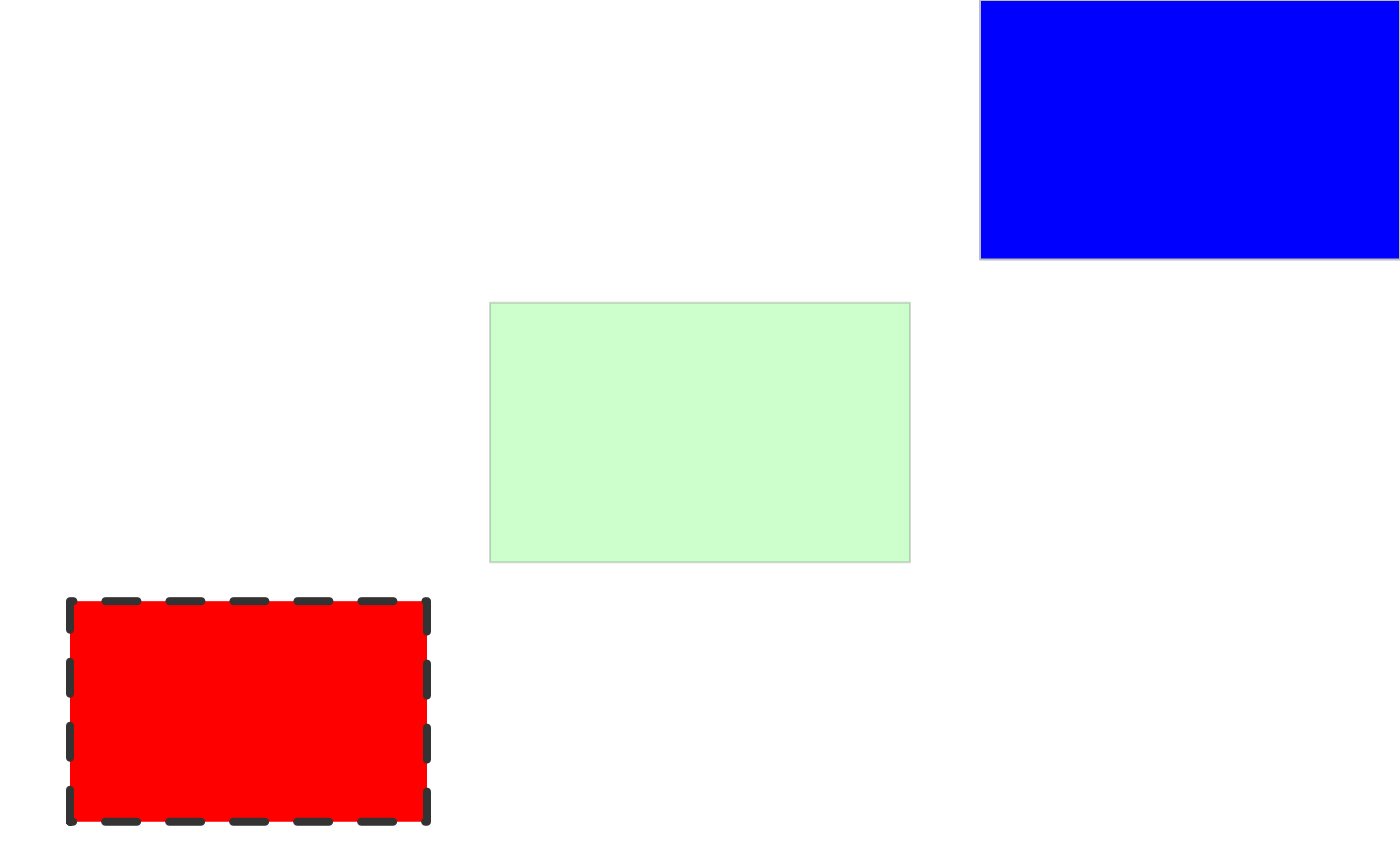
Example geometry-based pattern function #2 (using other patterns)
All geometry-based pattern creation functions must:
- Have the exact function signature:
function(params, boundary_df, aspect_ratio, legend)-
params- parameters from the geom (the aesthetics) e.gpattern_fill -
boundary_df- data.frame containing polygon information i.e. Thepolygon_dfformat. -
aspect_ratio- the best guess that gridpattern / ggpattern is able to make as to the aspect ratio of the viewport in which this pattern is being rendered. -
legendlogical value to indicate whether or not this function is being called to render a key legend or the in-place geom fill.
-
- Return a grid grob bounded by the boundary represented by
boundary_df(including grid structures like agrid::grobTree()).
For this example we’ll create an example that re-uses the pre-existing ‘stripe’, ‘circle’, and ‘gradient’ patterns and combines them into a new ‘complex’ pattern.
create_pattern_complex <- function(params, boundary_df, aspect_ratio, legend = FALSE) {
    args <- as.list(params)
    args <- args[grep("^pattern_", names(args))]
    args$x <- boundary_df$x
    args$y <- boundary_df$y
    args$id <- boundary_df$id
    args$prefix <- ""

    args_stripe <- args
    args_stripe$pattern <- "gridpattern::stripe"
    args_stripe$pattern_density <- 0.5 * args$pattern_density
    args_stripe$pattern_spacing <- 2 * args$pattern_spacing
    grob_stripe <- do.call(gridpattern::patternGrob, args_stripe)

    args_circle <- args
    args_circle$pattern <- "gridpattern::regular_polygon"
    args_circle$pattern_shape <- c("circle", "null")
    args_circle$pattern_yoffset <- args$pattern_spacing + args$pattern_yoffset
    args_circle$pattern_type = "horizontal"
    grob_circle <- do.call(gridpattern::patternGrob, args_circle)

    args_gradient <- args
    args_gradient$pattern <- "gridpattern::gradient"
    args_gradient$pattern_fill <- "#00000070"
    args_gradient$pattern_fill2 <- "#FFFFFF70"
    args_gradient$pattern_orientation <- "vertical"
    grob_gradient <- do.call(gridpattern::patternGrob, args_gradient)

    grid::grobTree(grob_stripe, grob_circle, grob_gradient)
}
We register the function with register_pattern(). The
name corresponds to the pattern name used
with grid.pattern() or the geom - in this case we will be
using pattern = 'complex'.
register_pattern("complex", create_pattern_complex)
grid.pattern("complex", fill = "red", angle = 45, spacing = 0.05, density = 0.3,
             x = c(0.0, 0.0, 0.3, 0.3), y = c(0.0, 0.3, 0.3, 0.0))
grid.pattern("complex", fill = "green", angle = 45, spacing = 0.2, density = 0.2,
             x = c(0.35, 0.35, 0.65, 0.65), y = c(0.35, 0.65, 0.65, 0.35))
grid.pattern("complex", fill = "blue", angle = 45, spacing = 0.1, density = 0.3,
             x = c(0.7, 0.7, 1.0, 1.0), y = c(0.7, 1.0, 1.0, 0.7))
grid::grid.polygon(x = c(0.0, 0.0, 0.3, 0.3, 0.35, 0.35, 0.65, 0.65, 0.7, 0.7, 1.0, 1.0),
                   y = c(0.0, 0.3, 0.3, 0.0, 0.35, 0.65, 0.65, 0.35, 0.7, 1.0, 1.0, 0.7),
                   id = rep(1:3, each = 4),
                   gp = grid::gpar(col = "black", fill = NA, lwd=4))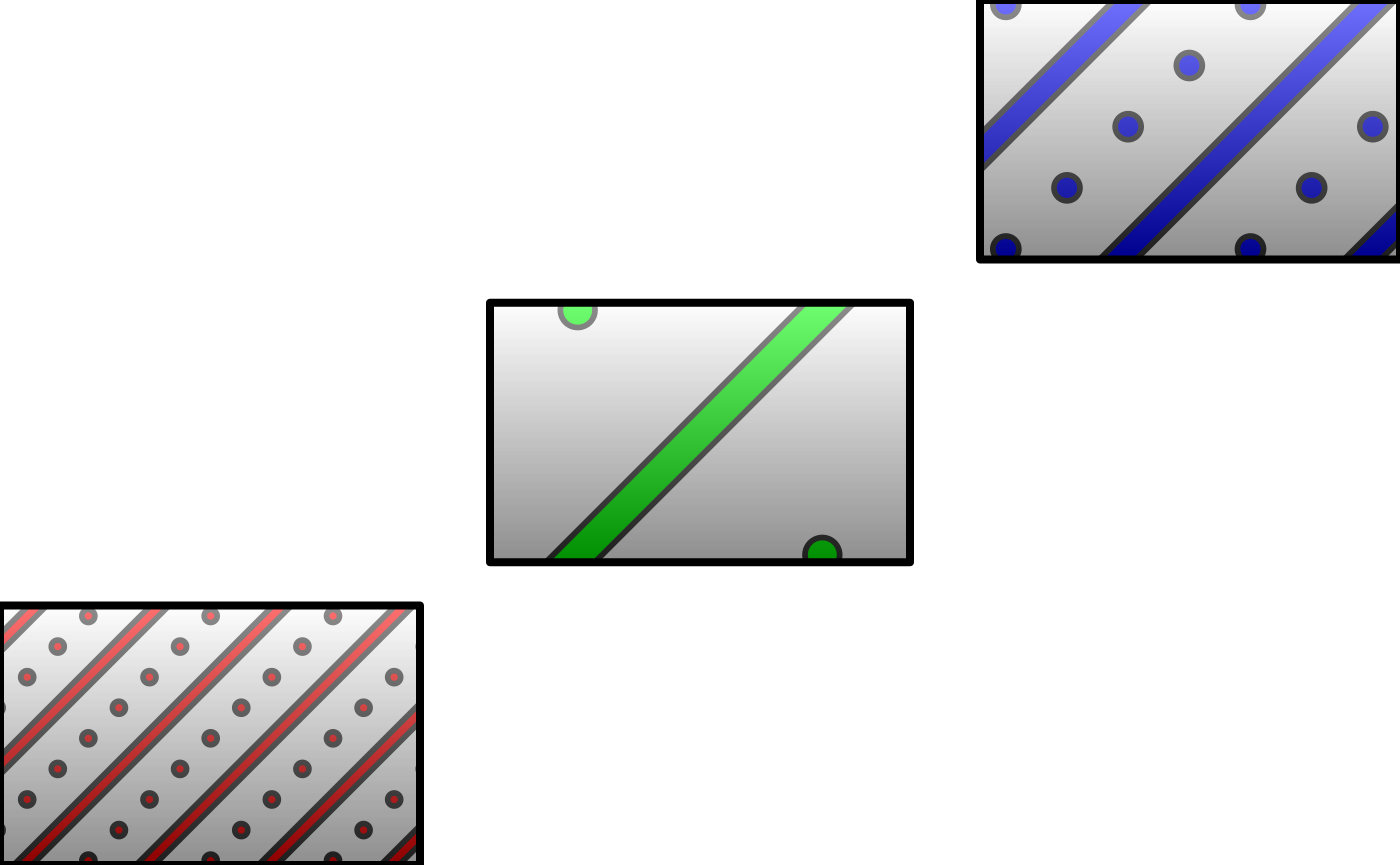
Example array-based pattern function
All array-based pattern creation functions must:
- Have the exact function signature:
function(width, height, params, legend)-
width,height- dimensions of the bounding box of the geom area -
params- parameters from the geom (the aesthetics) e.gpattern_fill -
legendlogical value to indicate whether or not this function is being called to render a key legend or the in-place geom fill.
-
- Return a 3D array of RGBA values (all values in the range [0, 1]).
For this example we’ll create a simple example that cycles through RGBA values.
Parameters for this pattern:
-
pattern_typeis used to distinguish between source data for the pattern
Note: This pattern exploits vector recyling in the creation of the RGBA array, and as dimensions change the alignment of the R, G, B and A planes will not remain in a fixed relationship. Thus if you change the shape of the rendered image, you will change the nature of the pattern.
create_pattern_simple <- function(width, height, params, legend) {

  # Ensure the selected pattern is sane.
  choice <- params$pattern_type
  if (is.null(choice) || is.na(choice) || !is.character(choice)) {
    choice <- 'a'
  }

  # Choose the values with which to fill the array
  values <- switch(
    choice,
    a = rep(c(0, 1, 0, 1, 1, 0, 0, 1, 1, 1), each = 3),
    b = rep(c(1, 0, 0, 1, 0.5, 0.5, 1, 1, 0, 0, 0, 0, 0, 0.5), each = 7),
    c = rep(seq(0, 1, 0.05), each = 7),
    rep(c(0, 1, 0, 1, 1, 0, 0, 1, 1, 1), each = 3)
  )
  # Create an RGBA array of the requested dimensions
  simple_array <- array(values, dim = c(height, width, 4))

  simple_array
}
We register the function with register_pattern() using
kind = "array". The name corresponds to
the pattern name used with grid.pattern() or
the geom - in this case we will be using
pattern = 'simple'.
register_pattern("simple", create_pattern_simple, kind = "array")
grid::grid.polygon(x = c(0, 0, 1, 1), y = c(0, 1, 1, 0),
                   gp = grid::gpar(col=NA, fill="grey"))
grid.pattern("simple", type = "a",
             x = c(0.0, 0.0, 0.3, 0.3), y = c(0.0, 0.3, 0.3, 0.0))
grid.pattern("simple", type = "b",
             x = c(0.35, 0.35, 0.65, 0.65), y = c(0.35, 0.65, 0.65, 0.35))
grid.pattern("simple", type = "c",
             x = c(0.7, 0.7, 1.0, 1.0), y = c(0.7, 1.0, 1.0, 0.7))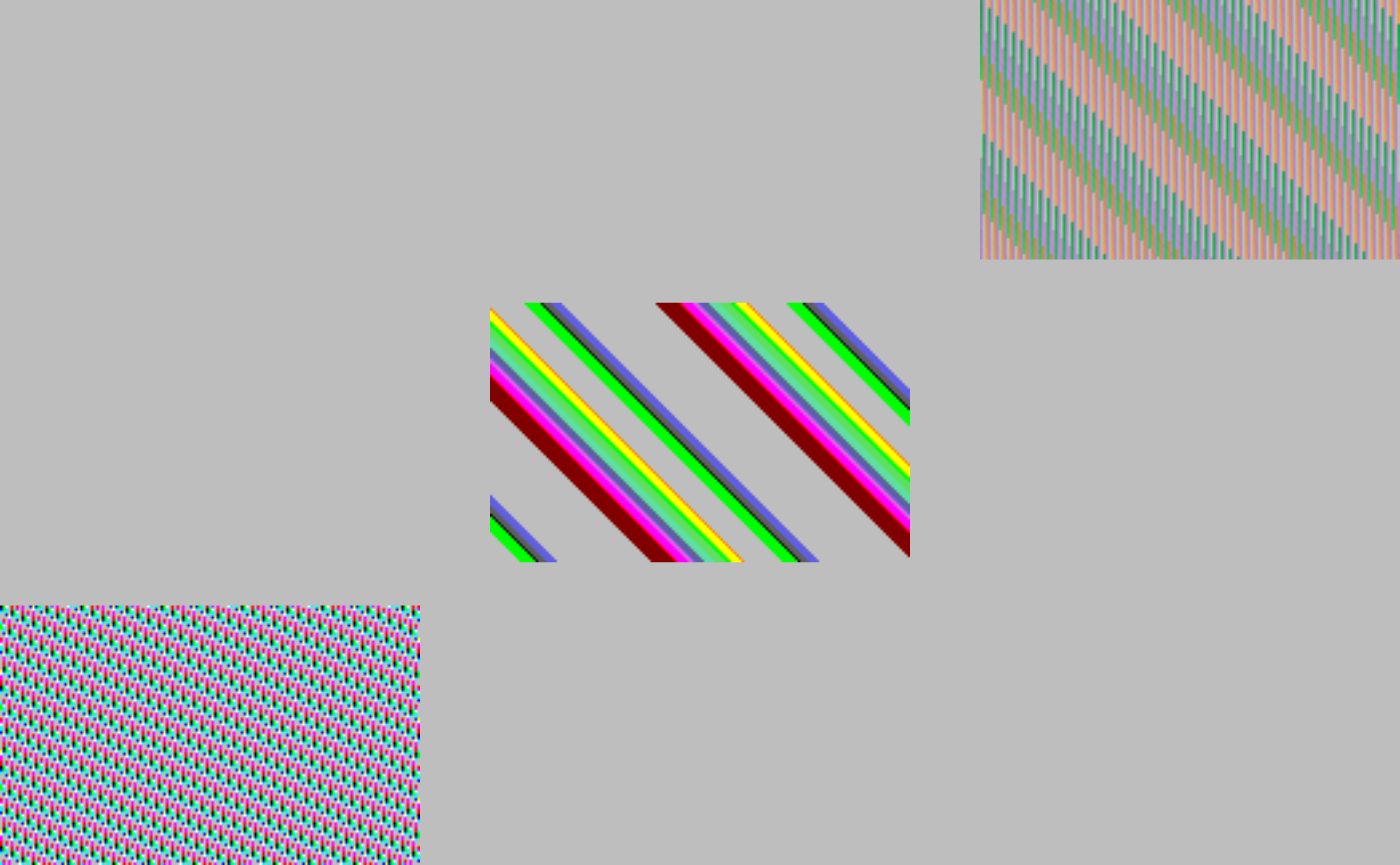
Other examples
The ggpattern package contains a vignette on developing gridpattern / ggpattern patterns with a few more examples: https://coolbutuseless.github.io/package/ggpattern/articles/
Also the gridpattern source contains the full source code for 21 patterns: https://github.com/trevorld/gridpattern/tree/main/R